Download
W232N Firmware Update Overview
Memory Map
- Internal Flash
- Main flash size: 2 Mbytes
 Top Flash Memory Address /-------------------------------------------\  0x10200000
                          |                                           |
                          ~                                           ~
                          |             Reserved (832KB)              |
                          |-------------------------------------------|  0x10130000
                          |                                           |
                          |             Parameters (64KB)             |
                          |                                           |
                          |-------------------------------------------|  0x10120000
                          |                                           |
                          |                                           |
                          |                                           |
                          |                                           |
                          |        Firmware Binary Bank (512KB)       |
                          |                                           |
                          |                                           |
                          |                                           |
                          |-------------------------------------------|  0x100A0000
                          |                                           |
                          |                                           |
                          |                                           |
                          |                                           |
                          |        Application Bank (512KB)           |
                          |                                           |
                          |                                           |
                          |                                           |
                          |-------------------------------------------|  0x10020000
                          |                                           |
      Page 1 (256KB)      |                                           |
                          |             Bootloader (128KB)            |
      Page 0 (256KB)      |                                           |
                          |                                           |
                          \-------------------------------------------/  0x10000000
Firmware Update Sequence
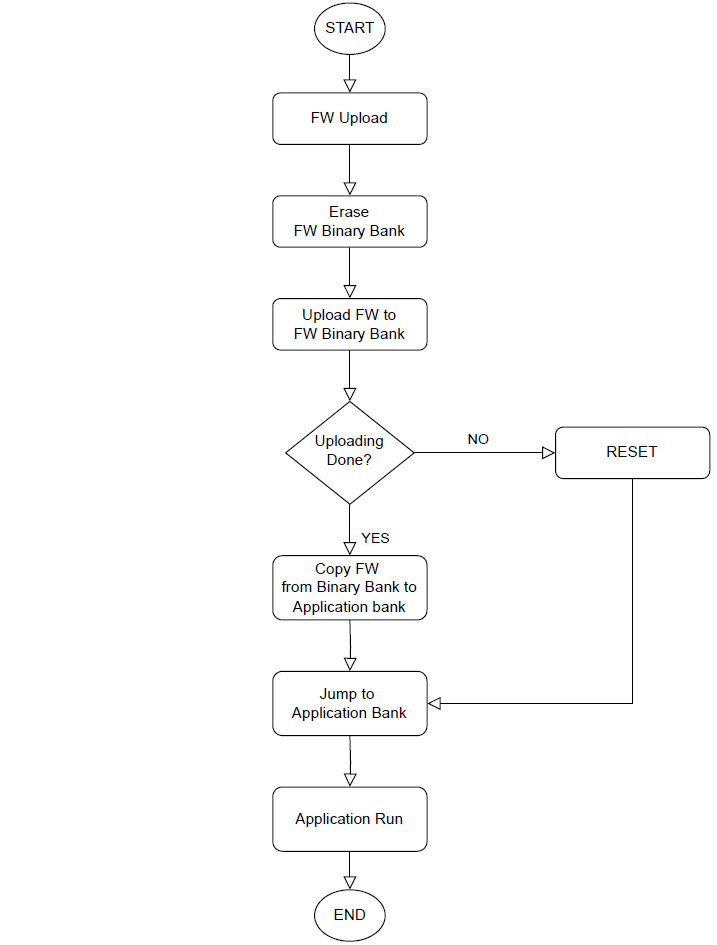 |
| Figure: Firmware Update Sequence |
How to upload or update the W232N firmware
The W232N provides three ways to upload or update the firmware.
Using the Configuration Tool
Required Hardware and Software
Hardware
- W232N
- 5~36V Power adapter
- Cables (Ethernet / Serial)
Software
- WIZnet S2E Configuration Tool
Step 1: Run Config-tool
Run installed 'Config-tool'
Step 2: Upload Firmware
- Click the Firmware Upload button
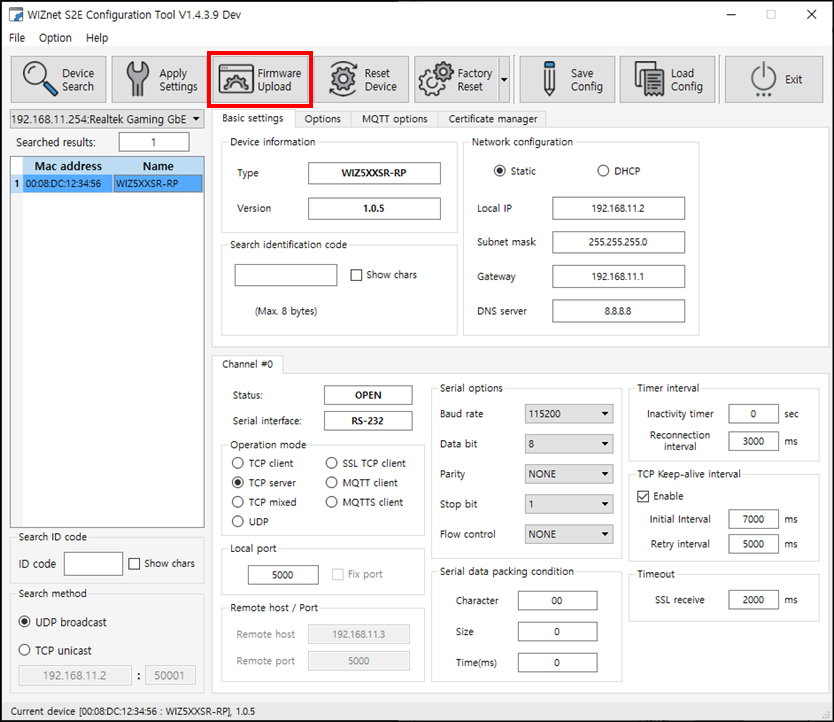 |
| Figure: Click Firmware Upload button |
- Select the uploaded firmware
When selecting firmware, you must select .bin(*_linker.bin).
Firmware in a file format other than .bin cannot be uploaded or updated properly.
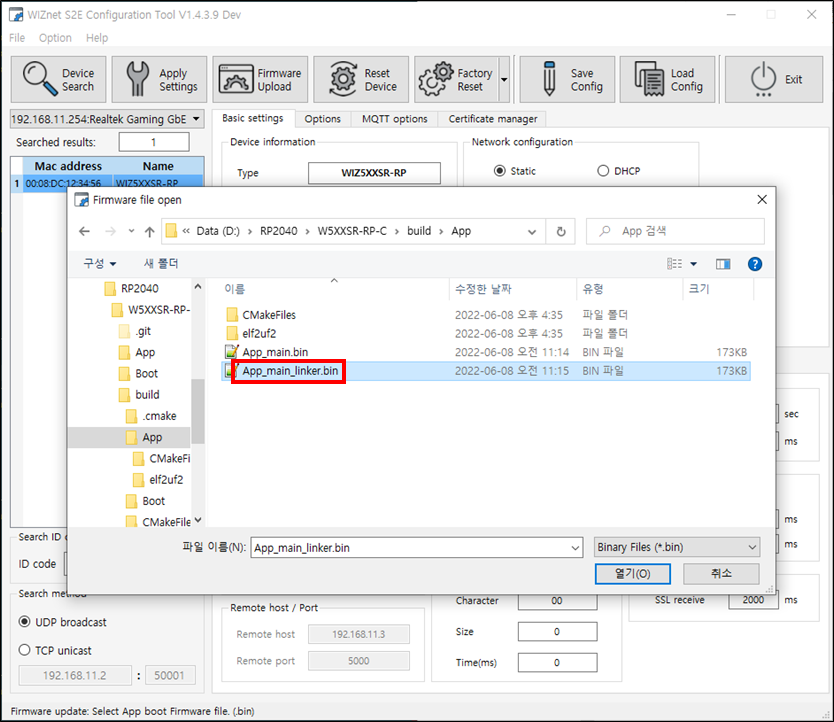 |
| Figure: Select uploaded firmware |
- Uploading the firmware
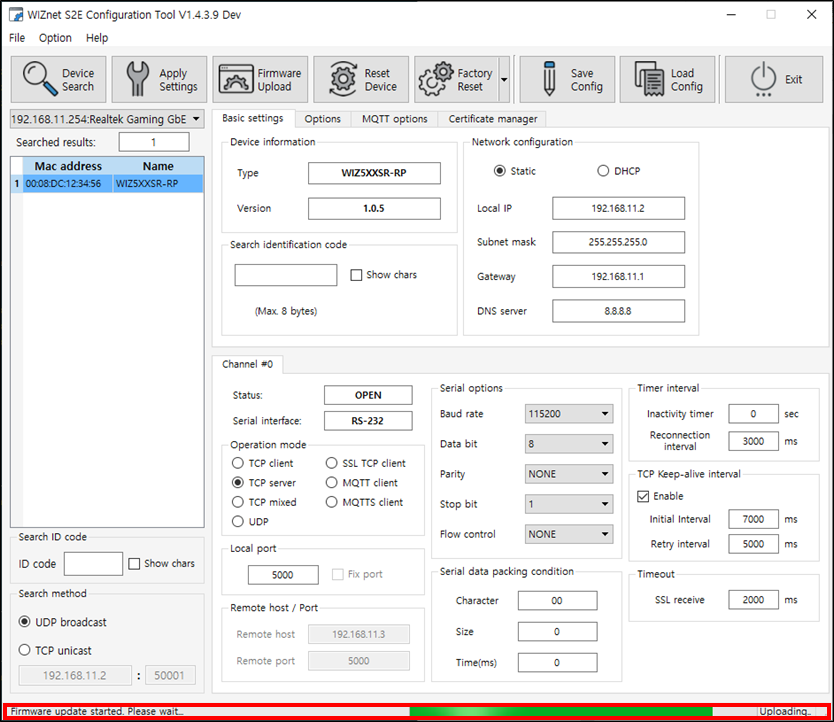 |
| Figure: Uploading firmware |
Step 3: Done
Firmware upload or update completed!
W232N is searched after about 5 seconds in the Configuration Tool after firmware upload or update completed.
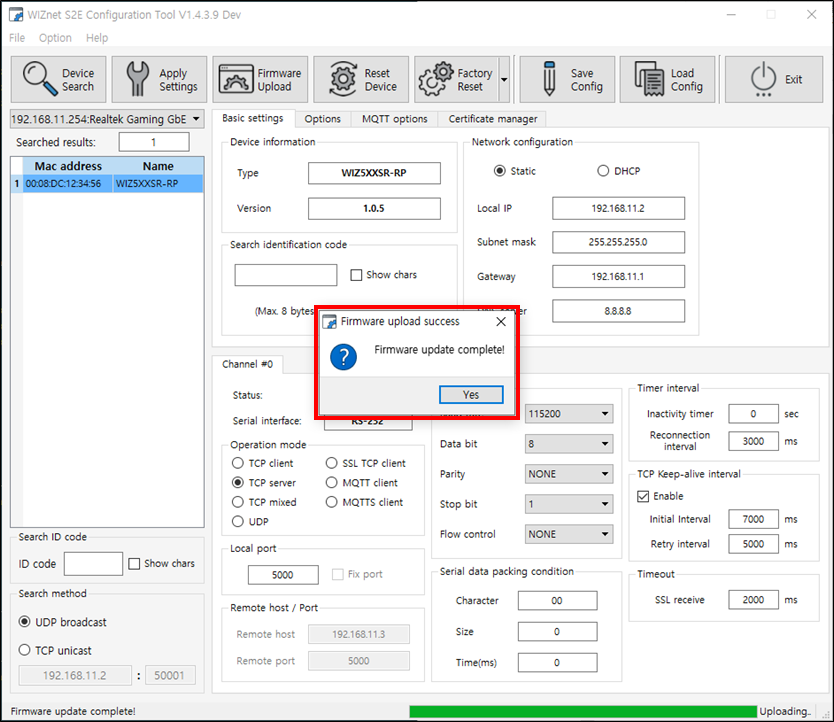 |
| Figure: Firmware upload or update complete |
Using Web config
- update soon
Using USB
- update soon
Using SWD
- update soon