W5500S2E-S1
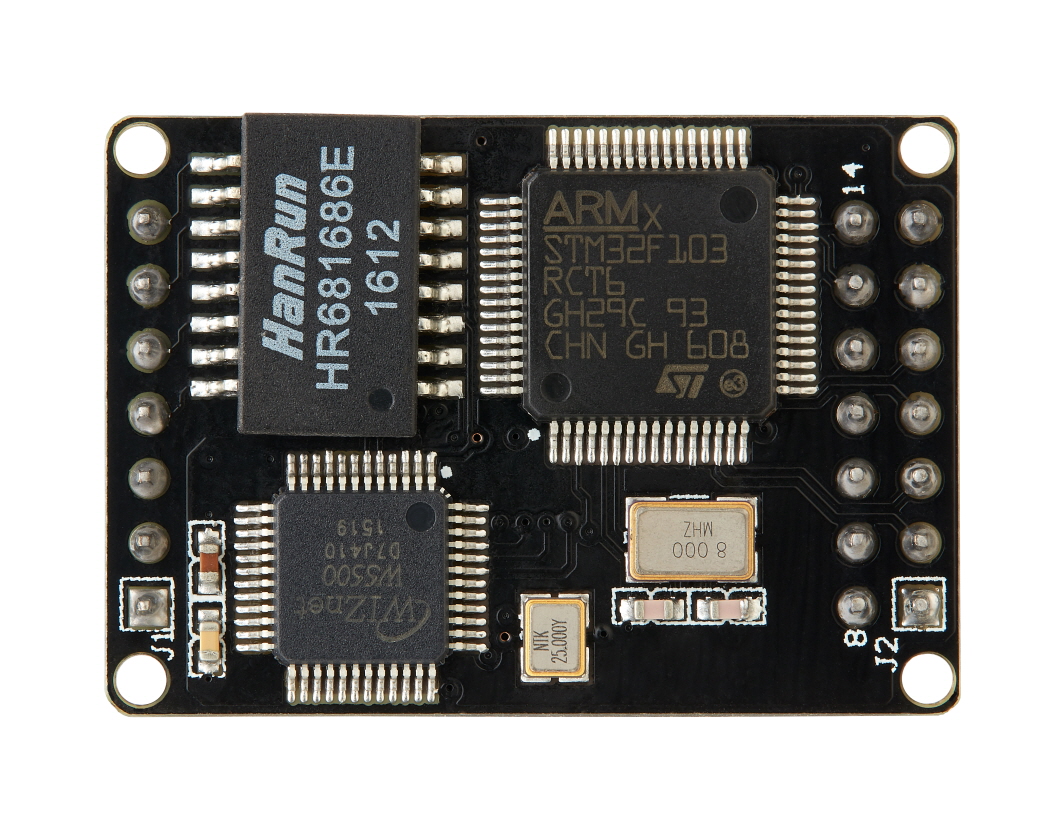
W5500S2E-S1
W5500S2E-S1 is low price Serial to Ethernet Module based on W5500 from WIZnet and STM32F103 MCU.
W5500S2E is a series of industrial grade serial to Ethernet module. It supports TCP server, TCP client, UDP and Modbus modes. The maximum baud rate of the serial port is 1.152Mbps. W5500S2E supports the WIZS2E ConfigTool (Configuration Tool for Windows®), a web page, and AT commands for configuration.
W5500S2E integrated with the hardwired TCP/IP protocol Ethernet chip W5500. This enables faster, more stable, and secure Ethernet connectivity. With reference to the schematic(s) and guideline(s) in this user manual, user can simplify the design and reduce development time.
Features
- Baud Rate can be configured to any standard value from 2Kbps to 1.152Mbps
- 10/100 Mbps Ethernet interface
- Support TCP server, TCP client and UDP operating modes
- Flexible data packaging condition in serial interface
- Smart Ethernet cable detection and keep alive features
- As DHCP client to automatically acquire IP address
- As DNS client to lookup domain name
- Support Modbus RTU/ASCII to Modbus TCP/UDP
- Support Modbus over TCP/UDP
- Support NetBIOS allows user to identify module’s name
- Support user password authorization for security
- Support serial AT command configuration method
- Built-in web server for browser and remote configuration
- Provide a user-friendly configuration tool program (WIZS2E ConfigTool)
- Support local and remote firmware upgrade
Documentation
This section provides key documentation, including user manuals and datasheets, to help you understand product features, specifications, and usage.
| Title | Description | Link | Notes |
|---|---|---|---|
| User's Manual | Product usage instructions |  EN EN | - |
| Datasheet | Technical specifications | EN | - |
Setup & Configuration
This section provides essential guides and manuals for setting up and configuring your device. Learn how to use various tools and interfaces—including command manuals, configuration utilities, web-based setup, and CLI tutorials—to efficiently manage and customize your product.
| Title | Description | Link | Notes |
|---|---|---|---|
| Command Manual | Guide to main commands and usage |  EN EN | - |
| Configuration Tool Manual | How to use the configuration tool | EN | - |
| Web Server Configuration Guide | Web-based configuration guide | EN | - |
| CLI Config Tool Tutorial | CLI-based configuration tool tutorial | - | TBD |
User Guide
This section offers essential guides to help you get started, troubleshoot issues, and make the most of your device. Find setup instructions, developer resources, and support materials below.
| Title | Description | Link | Notes |
|---|---|---|---|
| Getting Started | Quick setup instructions for using your W5500S2E device | - | TBD |
| Troubleshooting Guide | Solutions to common issues and troubleshooting steps | - | TBD |
| Developer's Guide | Setup, customization, and advanced usage for developers | - | TBD |
Software Resources
This section provides essential software resources, including configuration tools, firmware, and source code for your device.
- Tools
- Firmware
- Application Note
| Title | Description | Download | Notes |
|---|---|---|---|
| WIZnet S2E Configuration Tool | WIZnet device search, configuration, and firmware upload tool |  .exe only .exe only | - |
The configuration tool used is different depending on the S2E product family, so need to use a tool suitable for the product.
| Title | Description | Download | Notes |
|---|---|---|---|
| firmware | Firmware binary | download | - |
| Title | Description | Download | Notes |
|---|---|---|---|
| TCP Server | Guideline for configuring TCP Server | - | TBD |
| TCP Client | Guideline for configuring TCP Client | - | TBD |
| multiple TCP Clients | Guideline for configuring multiple TCP Clients | - | TBD |
| UDP mode | Guideline for configuring UDP mode | - | TBD |
Hardware Resources
This section provides essential hardware resources, including schematics, 3D models, and part lists for your reference.
| Title | Description | Download | Notes |
|---|---|---|---|
| Schematic | Circuit diagram for hardware design reference | download | - |
| 3D File | 3D model for mechanical design and visualization | - | TBD |
| Part list | List of components used in the hardware | - | TBD |
Evaluation Boards & Related modules
- Evaluation Boards
- Related modules