WIZ-IP20-io

WIZ-IP20-io
wizip20-io is an interface board for the WIZ-IP20 ioPort Serial-to-Ethernet Mag Jack module, providing easy access to UART, power, and control signals for rapid prototyping and evaluation.
WIZnet S2E Solution
-
WIZnet 'Serial to Ethernet' product is a protocol converter that transmits data sent by serial equipment as TCP/IP data and converts the TCP/IP data received through the network back into serial data to the serial equipment.
-
With this product, it is possible to easily add an Ethernet networking function to a device supporting UART interface, the devices can be controlled via an Ethernet network - Internet.
-
We also provide Customization Services such as change / add functions by customer request.
TOP&BOTTOM
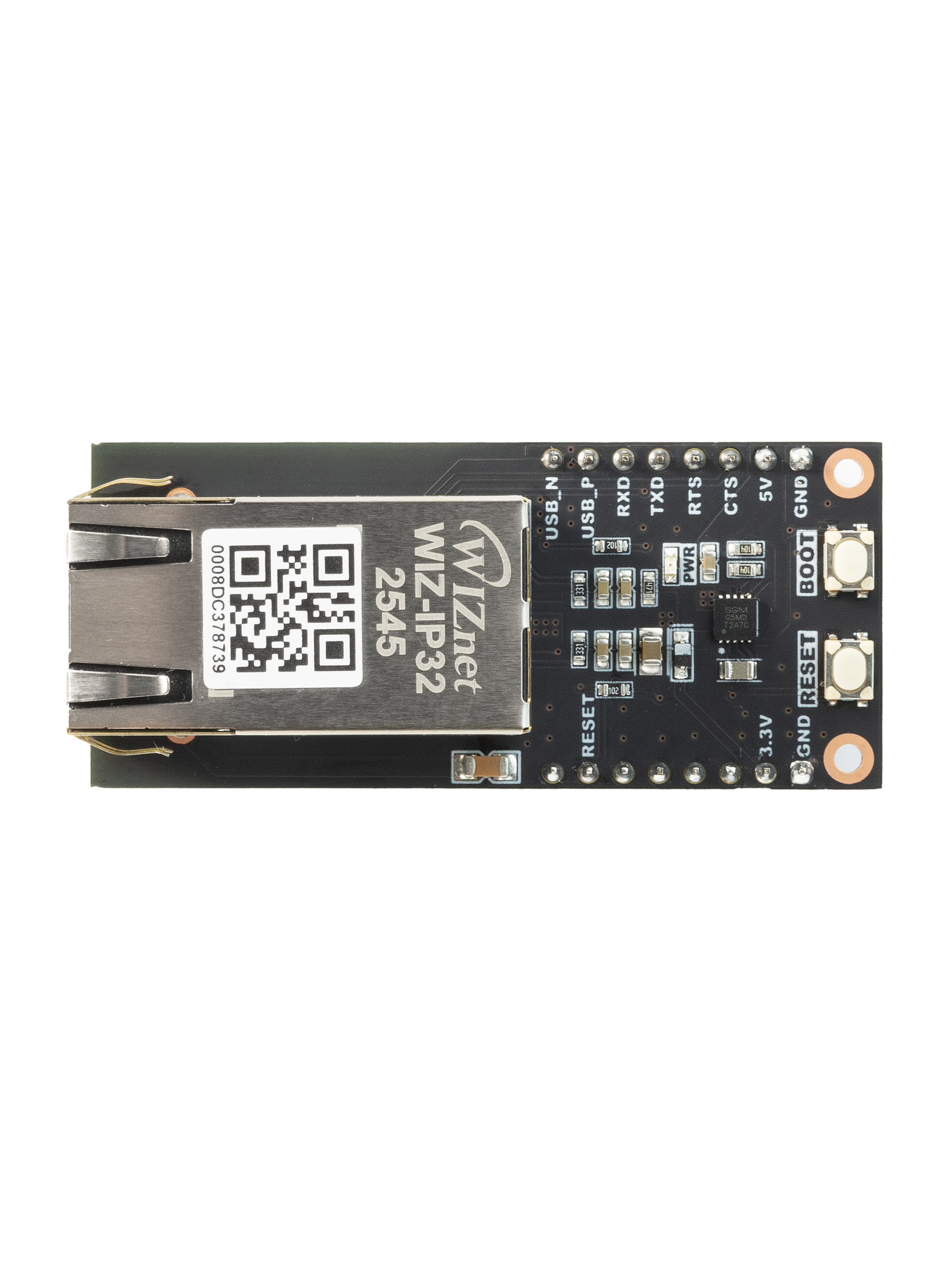 | 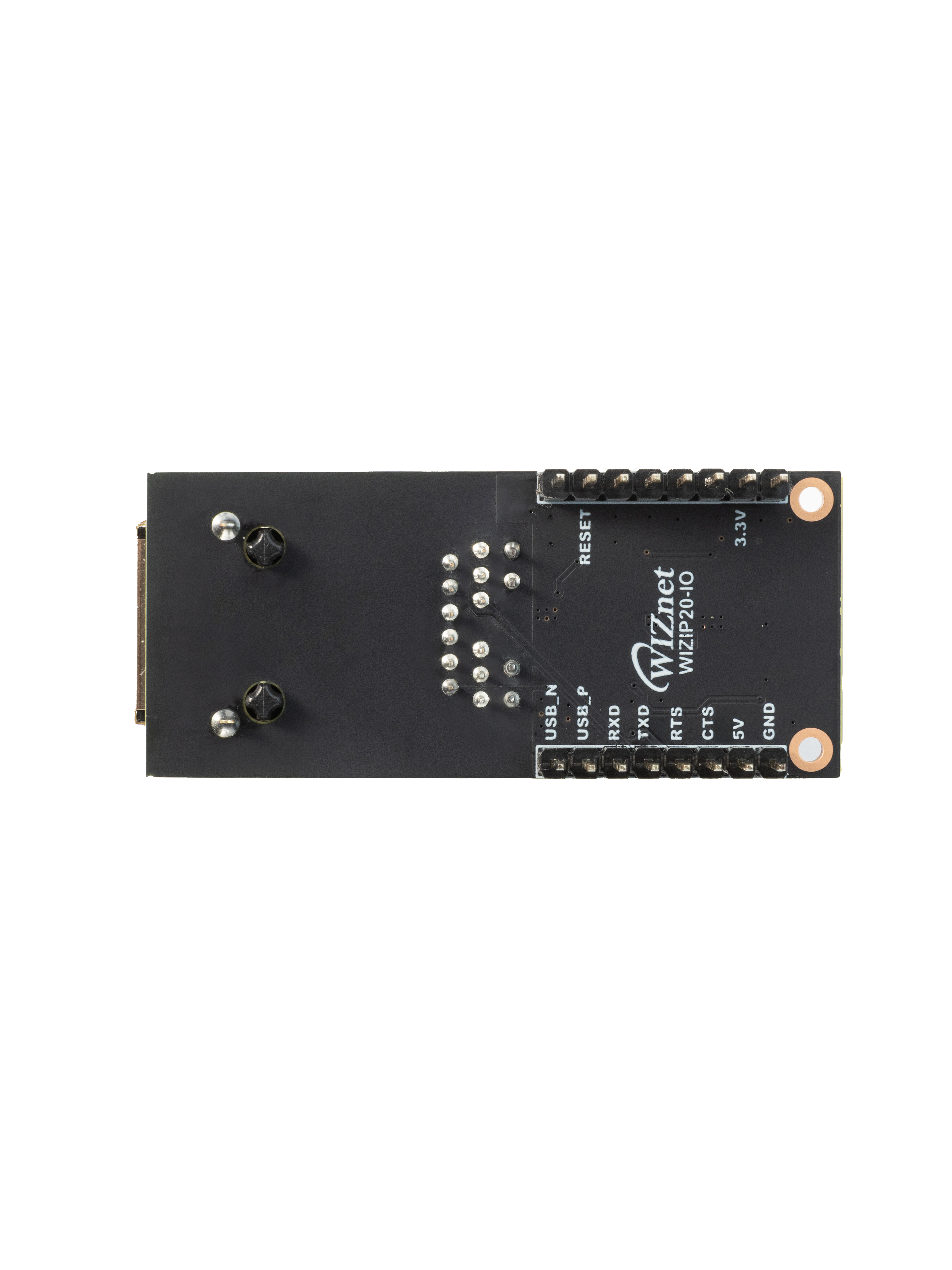 |
| TOP | BOTTOM |
Features
The following key features are included with the wizip20-io board.
- 10/100Mbps Ethernet & Up to 921,600bps serial speed
- Easy to add Ethernet networking function through UART or SPI interface of any device / MCU
- Support RS-232C and RS-422/485 if an external circuit is configured.
- Support multiple protocols
- TCP Server
- TCP Client
- SSL TCP Client
- TCP Mixed
- Modbus RTU/ASCII (available only in TCP Server mode)
- UDP (multicast supported)
- MQTT Client
- MQTTS Client
- Support custom protocols (Please submit custom protocol requests via this link.)
- HTTP
- HTTPS
- CoAP
- External device OTA
- Support serial data packing
- Support TCP connection password
- Configuration is possible via serial AT commands or via Configuration tool
- Separate Data UART and Debug UART port
- Unique MAC Address (WIZnet OUI)
Pin-out
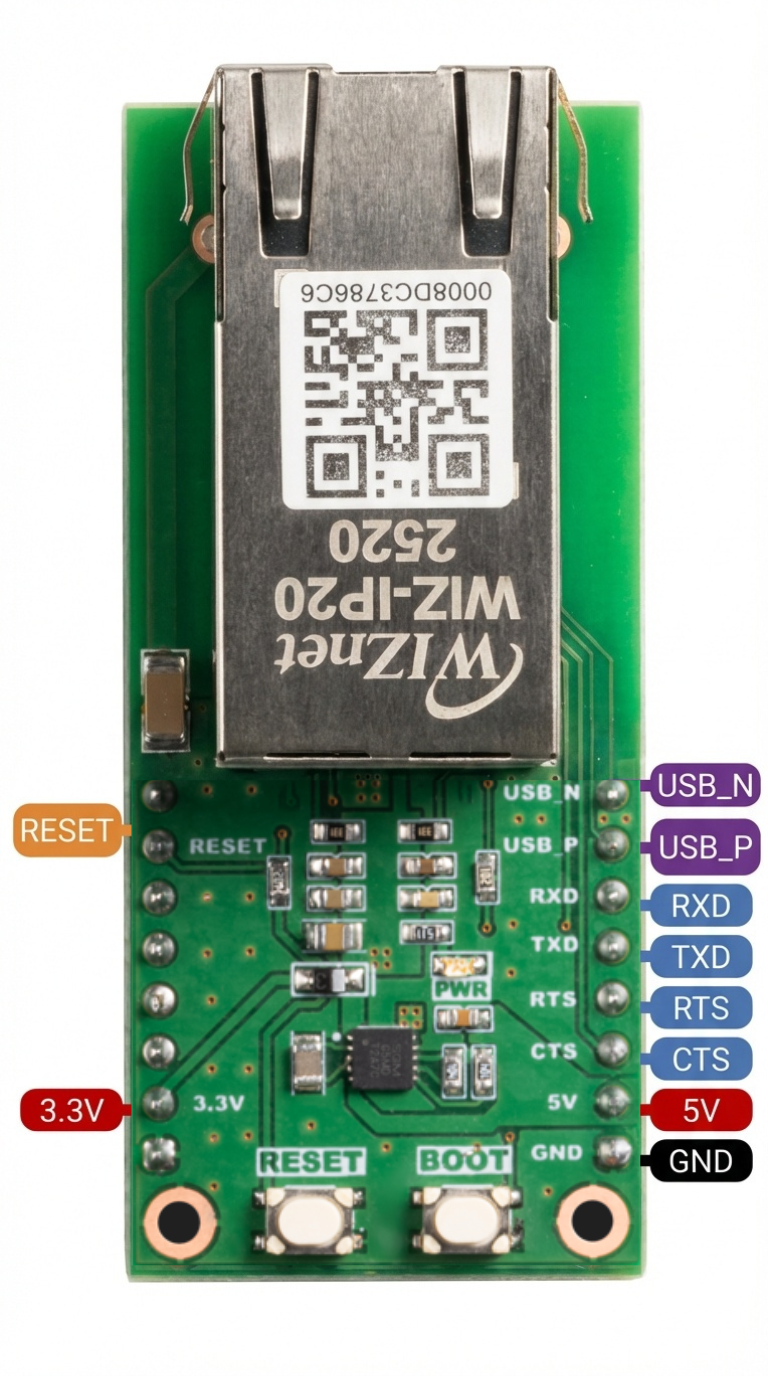
WIZ-IP20-IO pinout is directly connected to the GPIO of the W55RP20, which is compatible with RP2040 GPIO numbering. However, GPIO16, GPIO17, GPIO18, GPIO19, GPIO20, and GPIO21 are internally used for SPI communication with the embedded Ethernet controller to provide Ethernet functionality. Therefore, when the Ethernet function is enabled, these pins cannot be used for other purposes.
I/O Signals
| I/O | Pin Name | Description |
|---|---|---|
| O | TXD | Data UART TX from WIZ-IP20 (connect to RX of external MCU/device) |
| I | RXD | Data UART RX to WIZ-IP20 (connect to TX of external MCU/device) |
| I | RESETn | Active-low reset input for WIZ-IP20 |
| - | VBUS | 5V power input to wizip20-io board |
| - | 3V3 | 3.3V power rail generated on-board and used to power WIZ-IP20 |
| - | GND | Ground reference |
UART/USB & Power Connector (J3)
| Pin No. | Signal | I/O | Description |
|---|---|---|---|
| J3-1 | GND | - | Ground |
| J3-2 | CTS | I | UART CTS input to wizip20-io (Clear To Send) |
| J3-3 | RTS | O | UART RTS output from wizip20-io (Request To Send) |
| J3-4 | TXD | O | UART TX output from wizip20-io (connect to RX of external MCU/device) |
| J3-5 | RXD | I | UART RX input to wizip20-io (connect to TX of external MCU/device) |
| J3-6 | USB_P | I/O | USB D+ signal (to on-board USB-UART or USB connector, depending on design) |
| J3-7 | USB_N | I/O | USB D− signal |
| J3-8 | GND | - | Ground |
On-board 3.3V Power Supply
- wizip20-io uses an on-board 3.3V buck-boost converter (SGM62112-3.3) to generate the 3.3V rail from the 5V input.
The 5V line is filtered and fed into U1, and the regulated 3.3V output (3V3) powers the WIZ-IP20 module and related logic.
Operation Condition
| Item | Description |
|---|---|
| Operation Temperature MAX | 85°C (including self-heating) |
| Operation Temperature MIN | -40°C |
| VBUS | DC 5V (±10%) input |
| VCC_3V3 Min | DC 3.0V |
| VCC_3V3 Typ | DC 3.3V |
| VCC_3V3 Max | DC 3.6V |
Manuals
- How to use Config-tool
- How to use Web config
- How to use AT CMD
- How to connect MQTT
- How to connet SSL
- How to connet Modbus
- How to upload/update FW
- How to do factory reset
- How to write MAC Address
- How to design hardware
- How to use SPI Mode
Hardware Resources
This section provides essential hardware resources, including schematics, 3D models, and part lists for your reference.
| Title | Description | Download | Notes |
|---|---|---|---|
| Schematic | Circuit diagram for hardware design reference |  download download | |
| PCB layout | PCB design source for Altium | download | |
| 3D File | 3D model for mechanical design and visualization | download | |
| Part list | List of components used in the hardware | download |
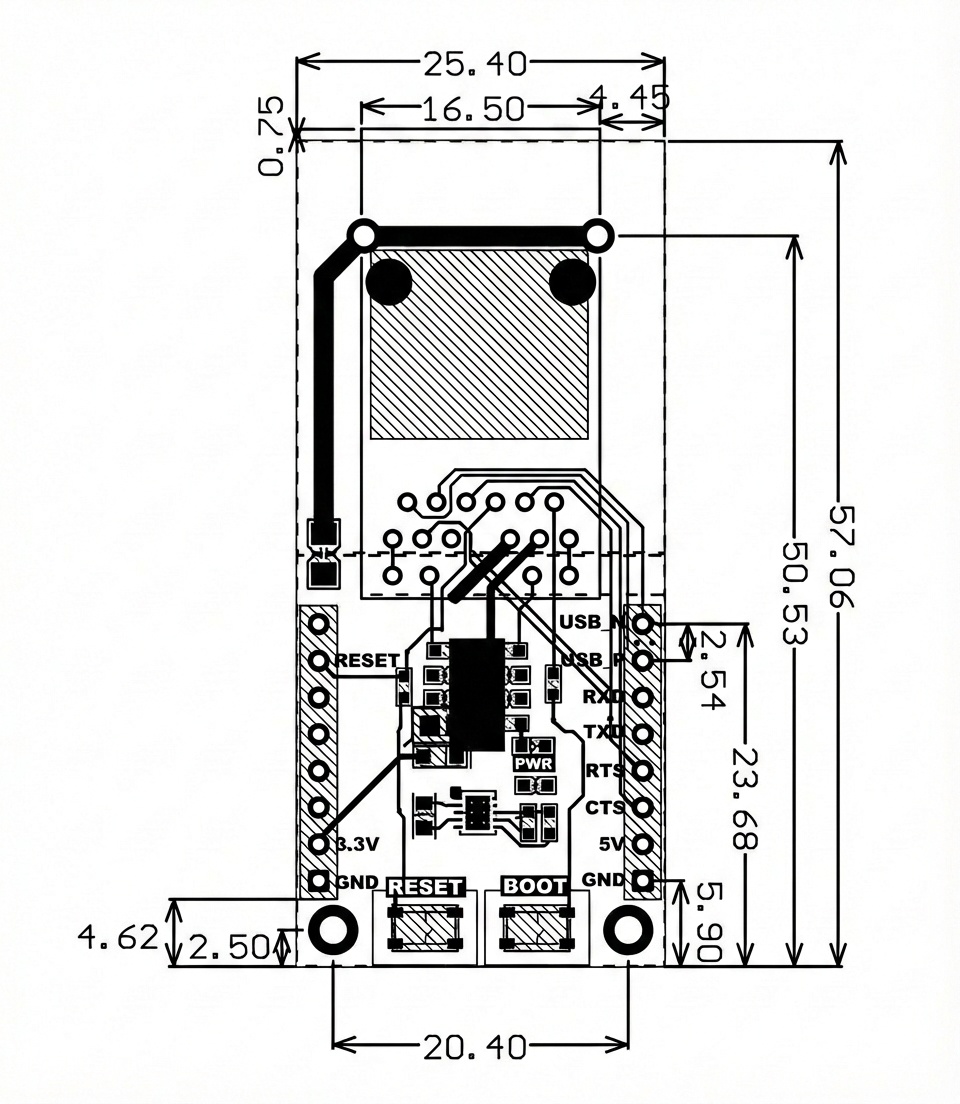
Dimensions