Factory Reset Guide
Factory reset overview
A factory reset will return the settings on the W55RP20-S2E to their factory state.
Required Hardware and Software
Hardware
- W55RP20-S2E
- Cables (Ethernet / Serial)
Software
- WIZnet S2E Configuration Tool
How to factory reset the W55RP20-S2E
There are two ways to perform a W55RP20-S2E factory reset.
Using Config Tool
Step 1: Run Config-tool
Run installed 'Config-tool'
Step 2: Select ⑦Factory Rest from the top icon menu
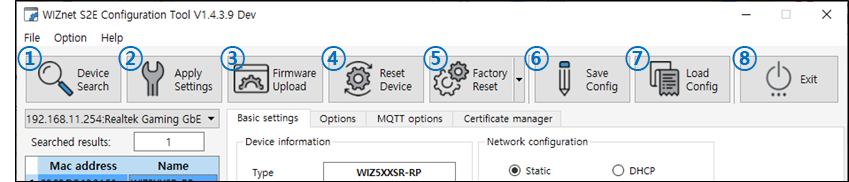
step 3: Do factory reset
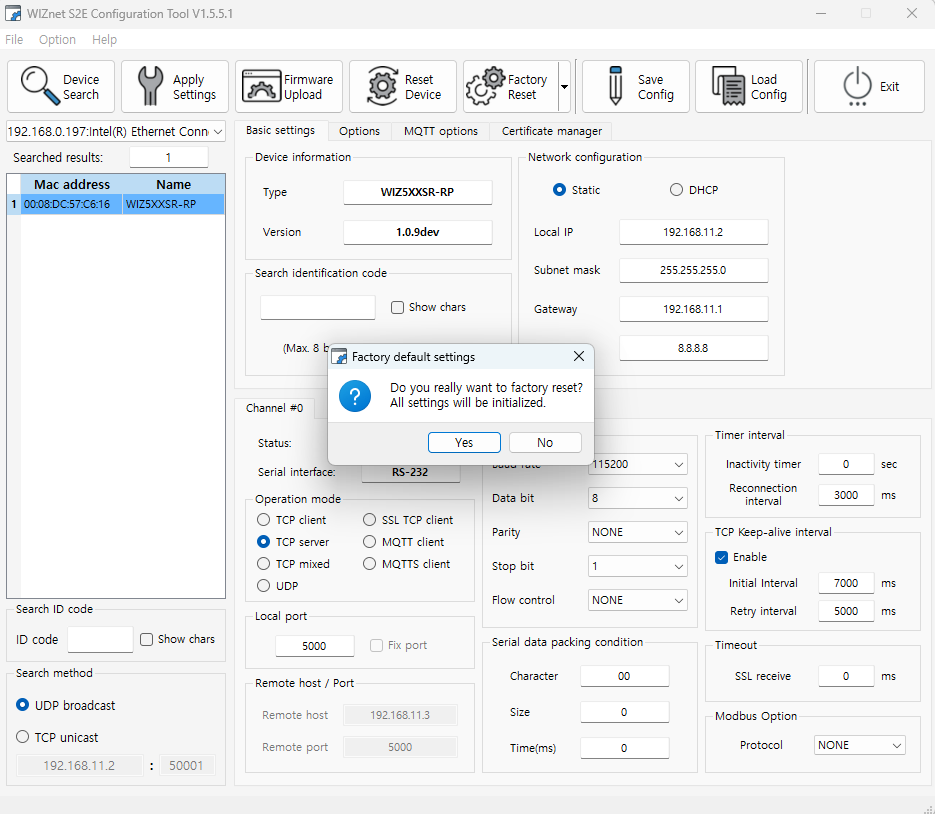
- select Yes
Step 4: Done
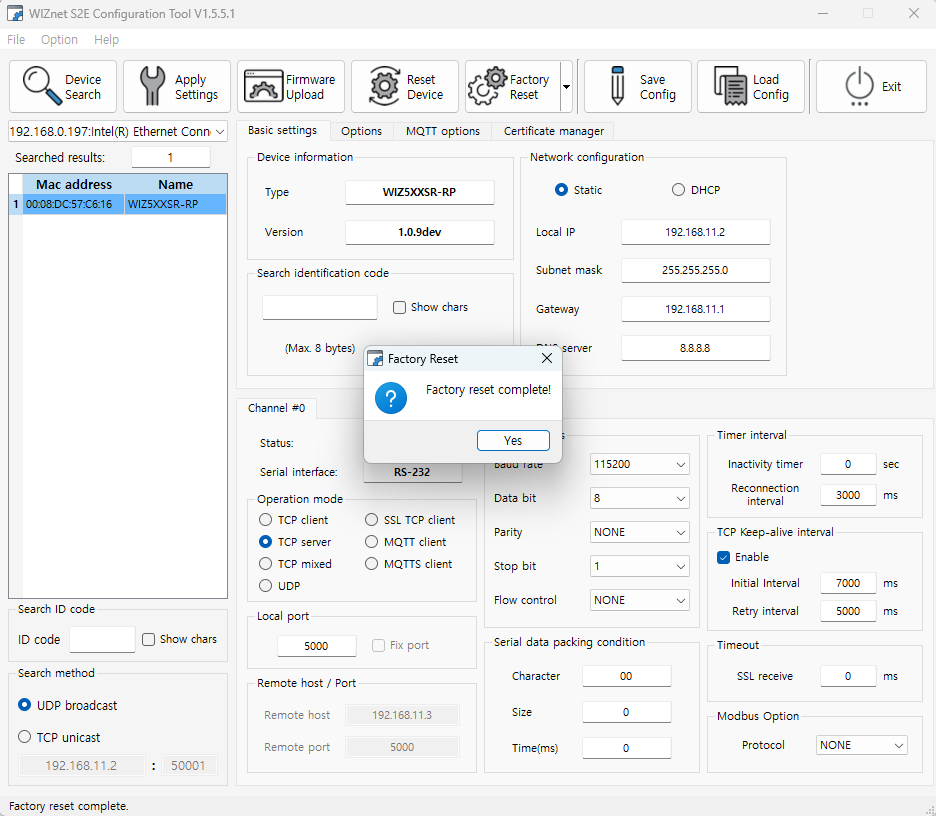
- If the factory reset completed successfully, you'll see a completion notification.
Using factory reset pin
Step 1: Pull low Factory Reset pin
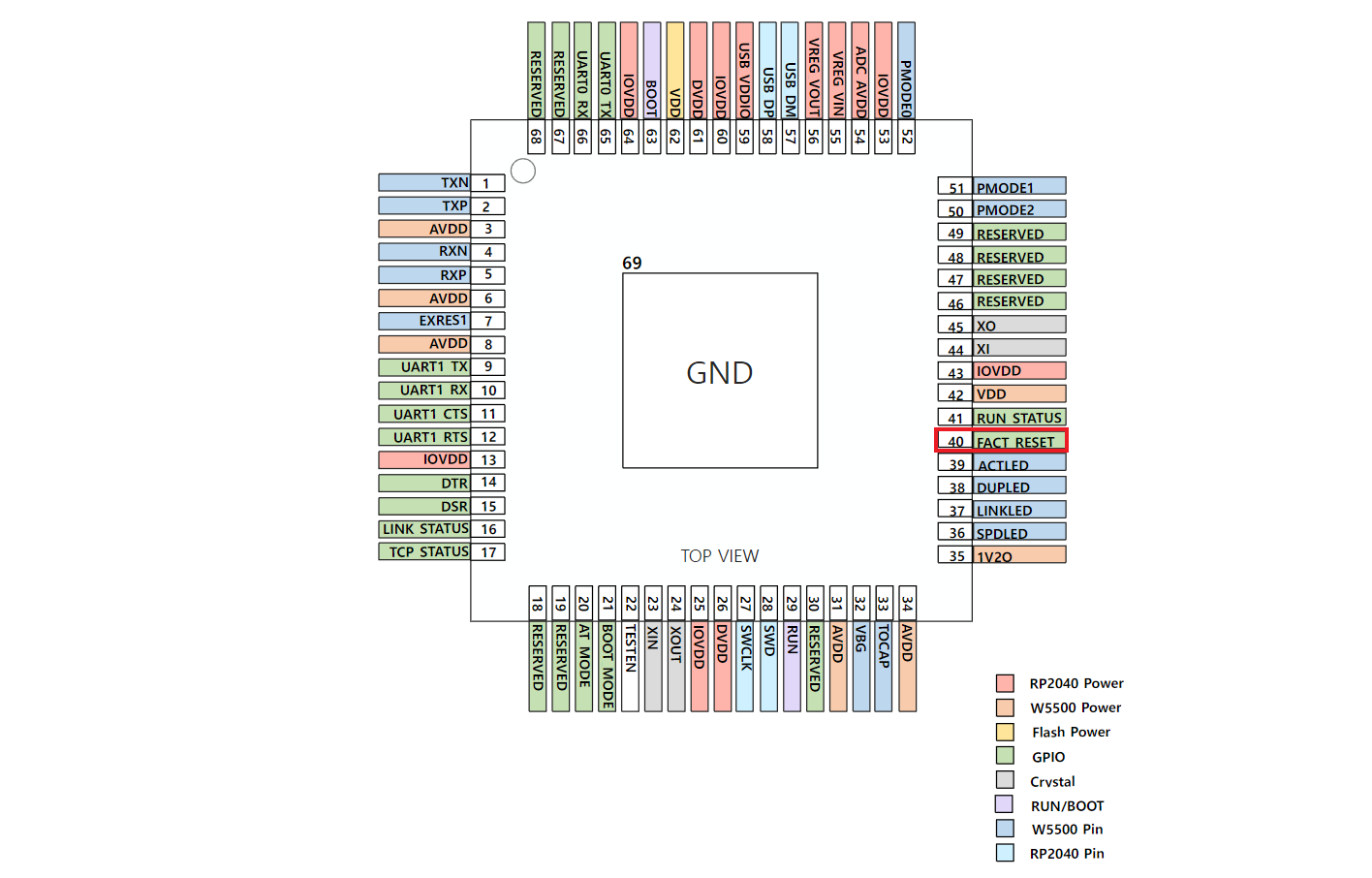
- Press and hold the factory reset switch for 5 seconds with the W55RP20-S2E booting normally.
- The RUN STATUS PIN, LINK_STATUS PIN, and TCP_STATUS PIN will toggle twice rapidly.
Step 2: Done
- Use Config-tool to verify that it initialized properly.