Twitter Test
Before Compile
- Before tweeting, get a token at http://arduino-tweet.appspot.com/
. This library send a tweet via the site to avoid using up the
memory of Arduino by complex OAuth signature stuff.
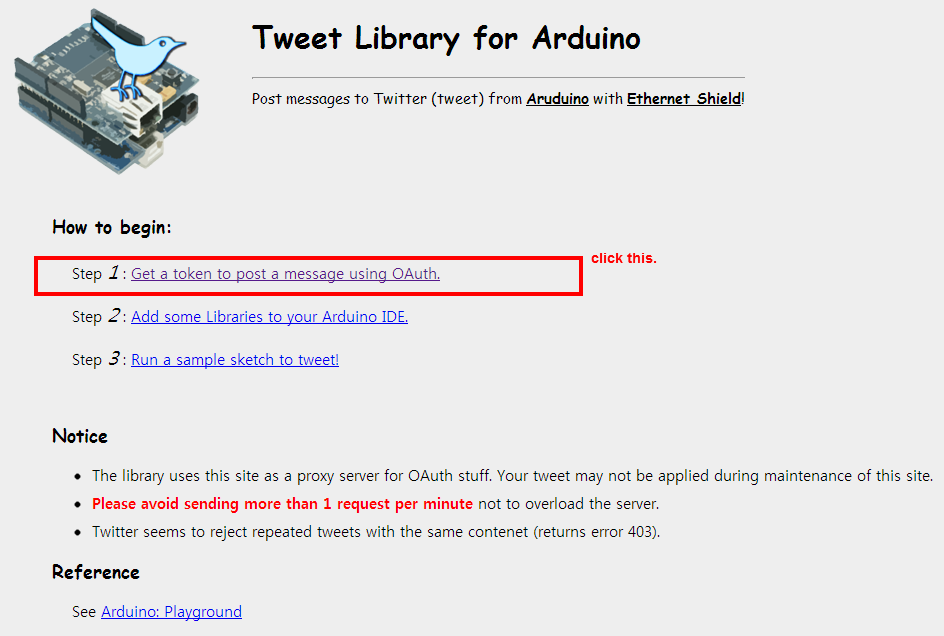
- Then you can get the token-code.

- Update new "Ethernet" library for ioShield. please refer Update Ethernet Library
- You can see an example sketch from "File -> Examples -> Ethernet -> Twitter_SimplePost".
- Done~~.
- original source from http://playground.arduino.cc/Code/TwitterLibrary
Change code & Compile
You need to create an instance of Twitter class like below:
in Twitter_SimplePost.ino..
// If you don't specify the IP address, DHCP is used(only in Arduino 1.0 or later).
// fill in an available IP address on your network here,
IPAddress ip(1,1,1,1);
IPAddress gw(1,1,1,1);
IPAddress snip(1,1,1,1);
IPAddress dnsip(1,1,1,1);

// Your Token to Tweet (get it from http://arduino-tweet.appspot.com/)
Twitter twitter("YOUR-TOKEN-HERE"); // this was YourID:Password in 1.0.1
You need also to refer begin Ethernet library.
please refer the below image to change code.
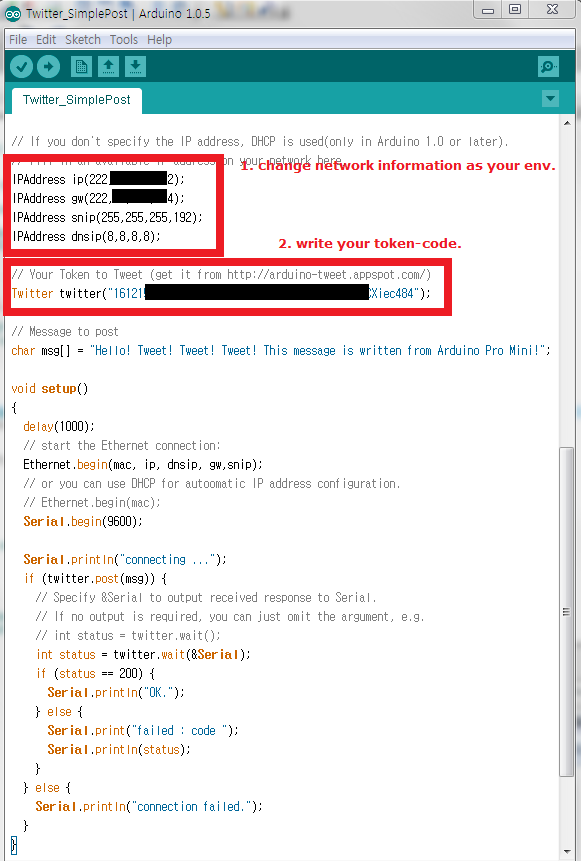
and compile, upload code on your Arduino Board.
Result
During the run the program, You can see the log message via Serial
Monitor as follow: 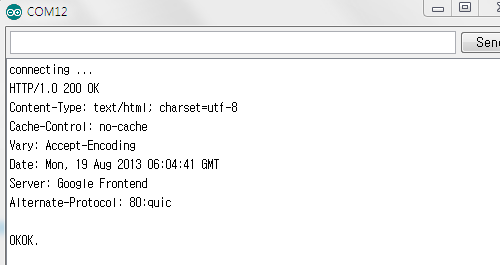
and, you can see the first message in your twitter timeline as follow: